


Pydroid repository plugin
4.1159.00 Reviews
App Specs
- Version
- 4.1
- Updated On
- License
- Free
- Downloads
- 1,000,000+
- Developer
- Lider Soft KZ
- Categories
- Libraries & Demo
- Platform
- Android
Screenshots
 Analysis by AppCompare
I find a shared Android device can be an unexpectedly useful place to explore Python, especially when a computer is not nearby. The Pydroid repository plugin is a companion for Pydroid 3: it helps that coding app access additional Python packages. It is not a coding editor on its own, so its value depends on someone in the household already using Pydroid 3 and wanting libraries that are not included by default.
Where it fits in a shared-device routine
A practical household example is a student working through a small Python exercise at the kitchen table while another family member uses the same phone later. The plugin can help the student add a package their project needs, then return to the coding task inside Pydroid 3. That makes it more like a focused utility for a particular workflow than an app everyone in the household needs to open every day.
I would keep expectations modest on a phone-sized screen. Installing a package does not make a mobile device feel like a desktop workstation, and typing, inspecting output, and managing a longer project can still be easier on a computer. The plugin is most useful when the goal is specific: try a library, follow a lesson, or make a small experiment without switching devices.
Setup works best when the roles are clear
This is a free app in the Libraries & Demo category, developed by Lider Soft KZ. The important setup boundary is that the repository plugin supports Pydroid 3 rather than replacing it. If a household member has not installed or does not use that IDE, adding the plugin alone will not create a place to write and run Python code.
When several people share one Android device, I would agree on who is using the coding environment before changing its package setup. A library installed for one person’s exercise may not be relevant to another person’s work, and a second user may not know why the available packages have changed. Keeping projects and package choices intentional makes it easier to resume a lesson without guessing what was added for someone else.
One useful habit is to install only what the current project calls for, rather than treating the repository as a reason to add packages speculatively. That keeps the learning task easier to understand: if an example relies on a particular library, install it, try the example, and then note which project uses it. For a beginner, this also helps separate Python concepts from setup troubleshooting.
Coordinating projects without turning setup into a chore
The plugin’s role is narrow, which is both a strength and a trade-off. It can provide a route to additional packages from the Android device, but it does not solve the broader household problem of keeping several people’s files, notes, or learning plans organized. I would use a simple shared understanding—who is working on which exercise and what package it needs—rather than assume the plugin coordinates that work for you.
Worth Reading Before You Choose

Flipboard Shows What News Apps Must Do Beyond the Feed

Switching to Android Auto Means Rethinking Your Driving Routine

Google Calendar Makes a Crowded Week Easier to Manage

Ludo King Makes the Most of the Minutes Between Plans

Baby Panda World Brings Quick Play to Modern Phones, but Its Game Library Feels Busy

ESPN’s Live Game View Makes Following Close Games Easier
For instance, if one person is testing a data-related lesson and another is learning basic syntax, they may have different reasons to open Pydroid 3. The first may need an extra library; the second may not need the repository at all. Treating package installation as part of the first person’s project avoids making every new learner think that extra setup is required before they can start writing simple code.
There is also a practical distinction between installing a package and understanding how to use it. A package can make an example possible, but it does not explain the library’s functions or whether it suits a project. I would keep the lesson or project instructions close at hand and check the exact package requirement before installing anything, especially when a tutorial names a particular dependency.
What to expect from package installation
The published description of the app is concise, and in practice I would approach it as a repository access tool rather than a promise that every Python package will work on every Android device. The original experience can be straightforward, but package installation may sometimes fail or require another attempt. That is a real point of friction if you want a dependable, no-troubleshooting activity for a child or a quick task between appointments.
If an installation does not go as expected, I would first check that the intended package is being installed for use with Pydroid 3 and that the project actually needs it. Then I would retry the task calmly rather than adding several similar packages in the hope that one works. For a project that depends on a particular library and must run reliably, a desktop Python setup may be the more sensible fallback.
That trade-off matters for heavier work. The app is handy for trying things on the go, but the presence of a repository does not remove the limits of a phone as a development environment. If a project involves sustained typing, several files, or extensive debugging, I would move to a laptop or desktop when one is available and use the Android setup for short experiments or learning sessions.
Age, trust, and choosing a comfortable boundary
The app is rated for Everyone, which makes its age context broad, but that should not be mistaken for a built-in family learning plan. I would still decide whether a younger learner is ready to install packages and work through setup independently. For a first coding session, an adult can help identify the package a lesson requires; once the learner understands the routine, they can handle straightforward experiments with less supervision.
In a shared household, account boundaries are worth considering separately from age. The plugin does not replace the device’s own user and account arrangements, so I would not rely on it to keep one person’s coding activity separate from another’s. Use the Android device’s normal sharing approach and make sure everyone understands which profile or project they are working in before changing the environment.
The app has a 3.9 average from around five thousand ratings, and it has passed one million installs. Those figures suggest that it has found an audience among Android users, but they do not tell me whether a specific package will suit a particular lesson or device. I would judge it by the concrete task at hand: does the needed library install, and does it let the learner continue in Pydroid 3?
How it compares with other ways to add Python packages
Compared with simply using the packages already available in Pydroid 3, the plugin is relevant when a project needs something beyond that starting selection. If your scripts use only basic Python features, you may not need a separate repository provider at all. That is a useful way to avoid extra setup: begin with the lesson’s actual requirements, and only look for additional packages when the code calls for them.
Compared with moving the work to a computer, the Android route favors convenience over a fuller working environment. It can be appealing for a short session away from a desk, while a desktop setup is usually the more comfortable choice for longer projects or repeated troubleshooting. A web-based coding service may also suit someone who wants to avoid managing packages locally, though that means relying on a browser-based workflow instead of installing libraries for Pydroid 3.
For a household deciding between these options, the key question is not which one is universally best. It is whether the person wants to learn or test Python directly on Android, and whether their project’s package needs fit that setup. If the answer is yes, this plugin has a clear purpose. If the household wants one shared, polished learning environment with minimal setup, another option may be easier to manage.
Unlocking More with Pydroid
So, what’s the big deal about the Pydroid repository plugin? In simple terms, it unlocks a whole new world of Python libraries and modules that you can use directly from your Android device. If you’ve been using Pydroid 3, you already know it’s pretty sweet. But with this plugin, you get access to a repository packed with additional packages that aren’t available by default in Pydroid 3.
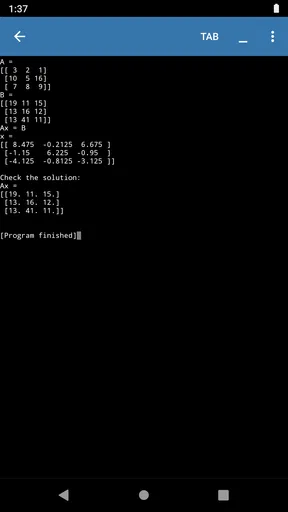
Installation is a breeze. Once you’ve got it, you can start installing all those extra libraries your projects need, like NumPy or SciPy, without breaking a sweat. It’s like having a full-fledged Python environment right in your pocket. Pretty cool, right?
Features That Stand Out
Let’s talk features. First off, the plugin integrates seamlessly with Pydroid 3, so you won’t feel like you’re juggling two different apps. It’s designed to enhance your coding experience without adding any unnecessary complications.
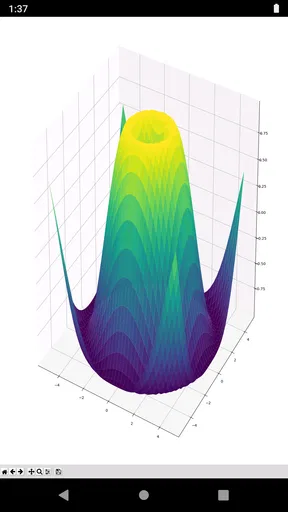
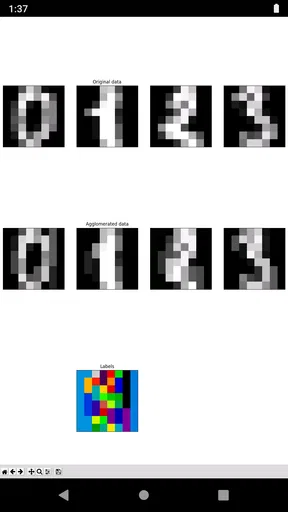
Another thing I love is the extensive library support. Whether you’re into data science, machine learning, or just casual coding, there’s a package in the repository for you. The plugin makes it easy to search and install these packages directly from your device. No need to tether to a desktop or laptop just to get your coding fix.
Oh, and did I mention it’s lightweight? You won’t have to worry about this plugin hogging your device’s resources. It’s optimized to run smoothly on most Android devices, so you can keep coding without any lag.
My Personal Take
Now, here’s the part where I get all personal. As someone who enjoys coding on the go, this plugin has been a lifesaver. It’s like having a portable coding workstation that fits right in my pocket. I can whip out my phone, dive into a coding session, and have access to all the libraries I need without missing a beat.
Of course, it’s not perfect. There are occasional hiccups, like when certain libraries don’t install as expected. But honestly, those are minor bumps in an otherwise smooth road. The developers are pretty responsive, and updates are frequent enough to squash most bugs.
So, if you’re a Pydroid 3 user looking to supercharge your coding capabilities, the Pydroid repository plugin is definitely worth a shot. It’s a powerful little tool that makes coding on Android not just possible, but enjoyable.
Ready to give it a whirl? You can find it on the Google Play Store, and trust me, your future self will thank you for it.
Who I’d recommend it to
I’d recommend this app to someone who already uses Pydroid 3 and has a clear reason to add Python packages on an Android device. It can suit a learner following a project that names a dependency, a hobbyist testing a compact script away from a computer, or a parent helping a student continue a coding exercise during a shared-device session. The current version is 4.1, and the app is free, so trying it for a specific need does not require a purchase.
I would skip it if you are looking for a standalone coding app, a guided course, or a tool that organizes multiple people’s work for you. It is also not my first choice for a project where package compatibility and repeatable setup are critical. In those cases, an established desktop Python environment or a browser-based coding workspace may reduce the amount of device-specific troubleshooting.
A sensible household verdict
My practical recommendation is to treat the plugin as a targeted add-on, not a general-purpose household app. Before installing a package, identify the project that needs it and make sure the person doing the work can return to the right Pydroid 3 session. That small bit of coordination prevents a shared phone from becoming confusing, while still leaving room for quick experiments and informal learning.
The app was released on March 30, 2019, and its Everyone age rating is suitable for a broad audience; the more important household decision is whether the learner is comfortable with installing dependencies and handling occasional setup snags. If that matches your situation, I think the plugin can make Android coding more practical. If you need a dependable, structured environment for several users or demanding work, I’d choose a computer or another workflow instead.
Pros
- Enhances coding capabilities.
- Easy integration with Pydroid.
- Supports various repositories.
- Minimal setup required.
- Boosts app functionality.
Cons
- Requires Pydroid installation.
- Limited to Python projects.
- May increase app size.
- Occasional update lags.
- Not beginner-friendly.
FAQs for Pydroid repository plugin
What is the Pydroid repository plugin used for?
The Pydroid repository plugin is designed to expand the capabilities of the Pydroid app by providing access to additional libraries and packages that are not included in the standard installation. This is especially useful for developers who need specific modules for their Python projects. By installing this plugin, users can seamlessly integrate these additional resources into their development environment.
How do I install the Pydroid repository plugin?
To install the Pydroid repository plugin, you first need to have the Pydroid app installed on your device. Within the app, navigate to the plugin section, and search for the repository plugin. Once found, you can download and install it directly through the app interface, making the process straightforward and user-friendly.
Is the Pydroid repository plugin free to use?
While the Pydroid app itself offers basic functionalities for free, the repository plugin may require a purchase or subscription. This is common with plugins that extend app capabilities significantly. It's advisable to check the pricing details within the app or on the official website to understand any costs involved before proceeding with the installation.
What are the system requirements for the Pydroid repository plugin?
The Pydroid repository plugin is designed to work with devices running Android. To ensure smooth functionality, your device should have adequate storage space and be running a relatively recent version of Android. Additionally, a stable internet connection is necessary for downloading libraries and packages within the plugin.
Will the Pydroid repository plugin affect my device’s performance?
Installing the Pydroid repository plugin can have some effect on your device’s performance, especially if you’re working with large libraries or running complex scripts. However, the impact is generally minimal. It's recommended to close unnecessary apps to free up memory and processing power, ensuring optimal performance while using the plugin.


